
Brixel Whiteboard: Build, iterate and prototype automations visually
Discover the Brixel Whiteboard module – an infinite canvas where you can plug all your Brixel tools, create workflows visually, iterate on ideas, and prototype complex automations in real-time. Transform how you build with Brixel.
Brixel Whiteboard: Build, iterate and prototype automations visually
We're thrilled to introduce the Brixel Whiteboard Module — a revolutionary new way to interact with your automation workflows.
The Whiteboard transforms Brixel from a powerful automation platform into a visual creative workspace where you can freely explore ideas, prototype complex workflows, and iterate on automation designs in real-time.
Think of it as your infinite canvas for automation — where every tool, integration, and AI agent you've built in Brixel becomes a building block you can drag, connect, and orchestrate visually.
See it in action
Watch how the Brixel Whiteboard transforms automation design:
What is the Brixel Whiteboard?
The Whiteboard is an infinite collaborative canvas integrated directly into Brixel, designed specifically for building and experimenting with automation workflows.
Unlike traditional workflow builders with fixed layouts, the Whiteboard gives you complete freedom to organize, connect, and visualize your automations the way you think about them.
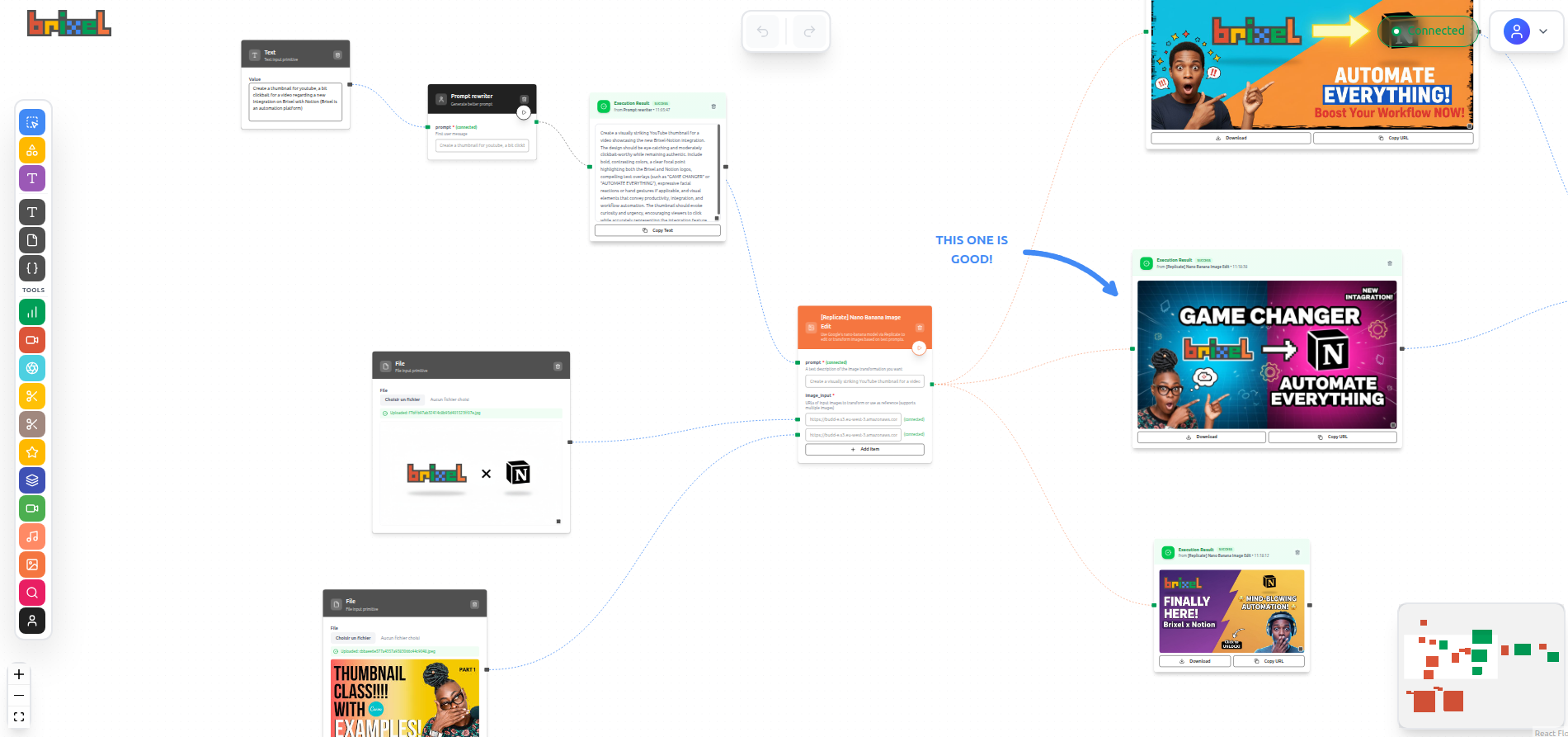
Key capabilities
- Plug any Brixel tool directly onto the canvas
- Connect tools visually to create automation flows
- Iterate in real-time without switching between interfaces
- Prototype complex workflows before committing them to production
- Collaborate with your team on the same canvas
- Organize your work with unlimited space and flexible layouts
Your entire automation toolkit, at your fingertips
The Whiteboard isn't just a drawing tool — it's a living workspace where every integration, AI agent, and automation you've built in Brixel becomes instantly accessible.
Drag Notion onto the canvas. Drop in Claude. Connect them to Canva, ElevenLabs, or your own custom APIs. Everything you've connected to Brixel is ready to use, configure, and orchestrate visually.
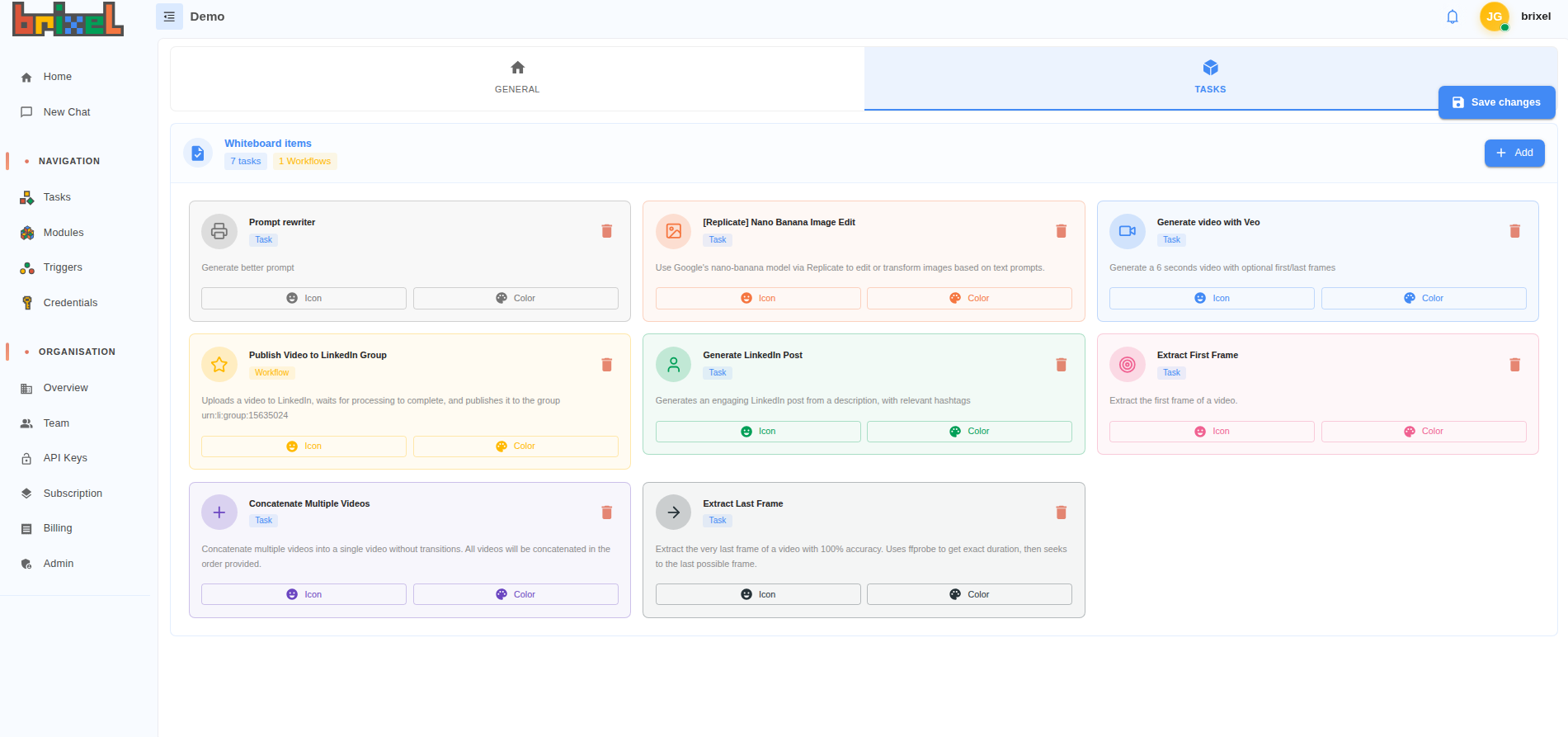
No more switching between tabs. No more hunting through menus. Your entire automation toolkit is right there on the canvas, waiting to be combined in ways you've never tried before.
Think visually, build faster
Forget forms and configuration files. On the Whiteboard, you see your automation as you build it.
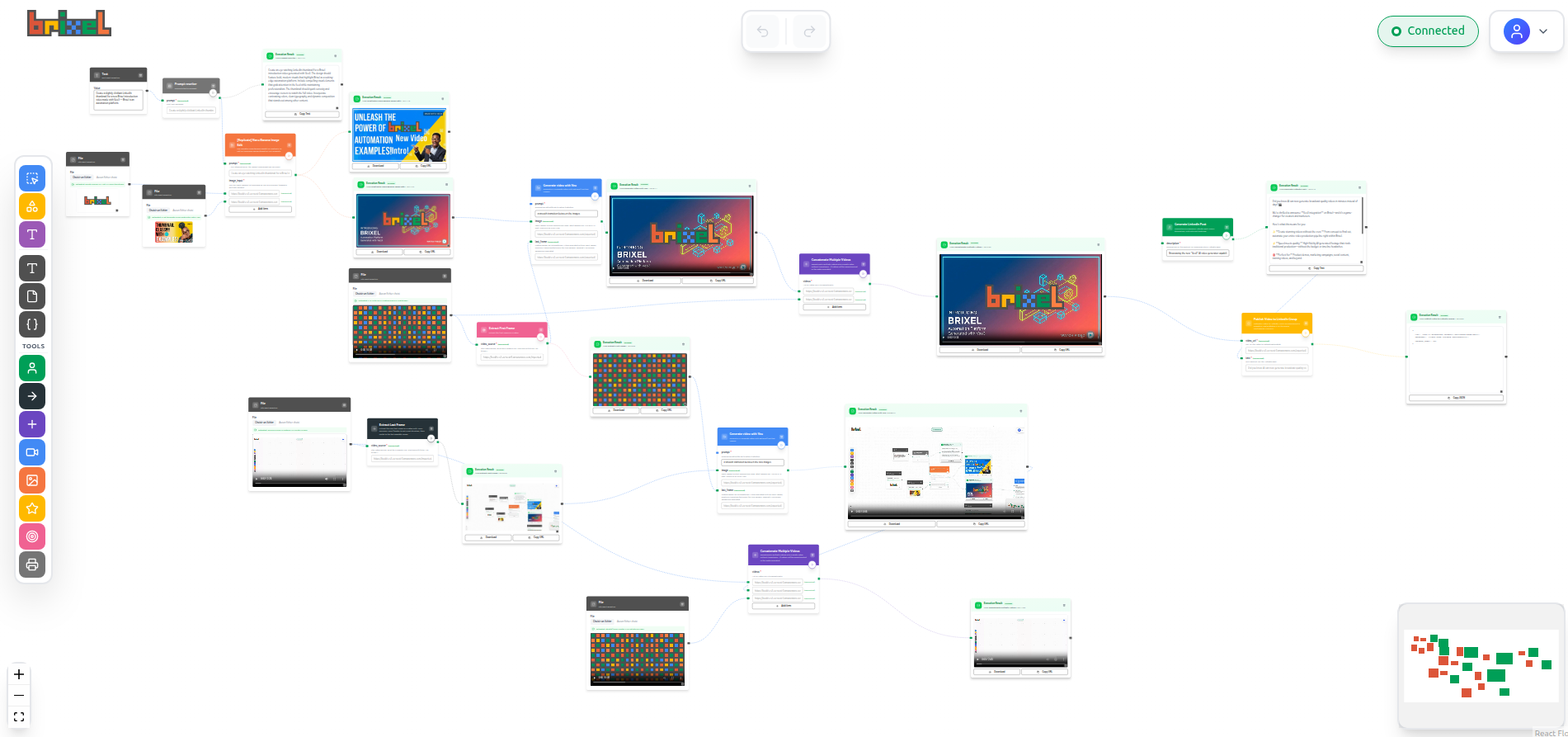
Drag a tool onto the canvas. Connect it to another. Test it instantly. See the results. Adjust. Iterate. All in real-time.
It's like designing in Figma or brainstorming on a physical whiteboard — except every element is functional and executable. You're not drawing a diagram of your automation. You're building the actual thing.
This changes everything. Complex workflows that would take hours to configure through traditional interfaces can be prototyped in minutes. You can experiment freely, try wild ideas, and see immediately if they work.
From idea to working automation in minutes
Have an automation idea? Don't write specs. Don't plan for hours. Just start playing on the Whiteboard.
Throw some tools on the canvas. Wire them together. Hit run. See what happens. Doesn't work? Move things around. Try a different AI model. Swap out Notion for Airtable. Test again.
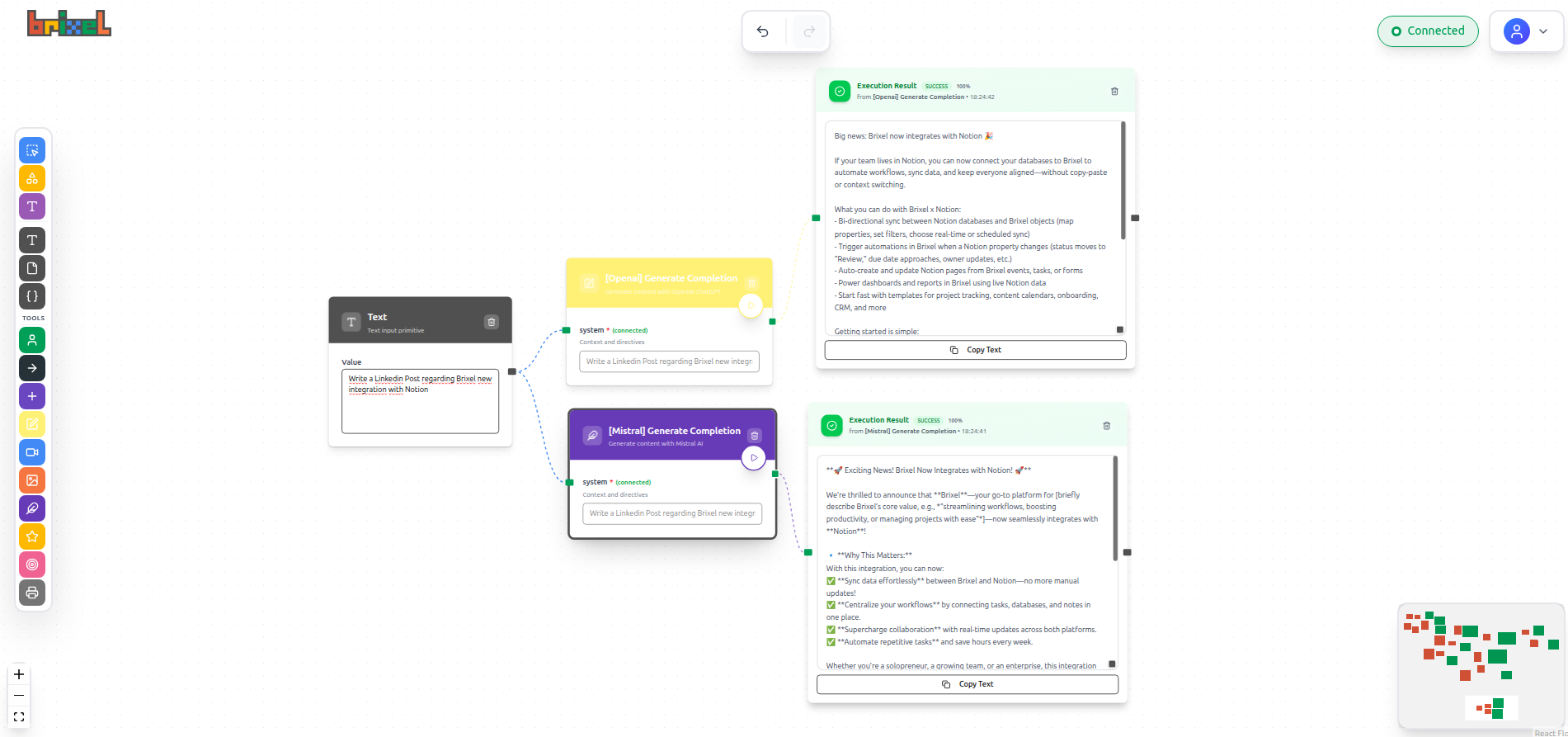
The Whiteboard makes failure cheap and iteration instant. You can test ten different approaches in the time it would take to configure one traditional workflow.
This is especially powerful when you're:
- Exploring new ideas you're not sure will work
- Testing different AI models or prompts to find the best results
- Combining tools in unconventional ways you've never tried
- Building something complex where you need to see the whole picture
Build together, in real-time
The Whiteboard is built for collaboration. Multiple people can work on the same canvas simultaneously — seeing each other's cursors, changes, and ideas as they happen.
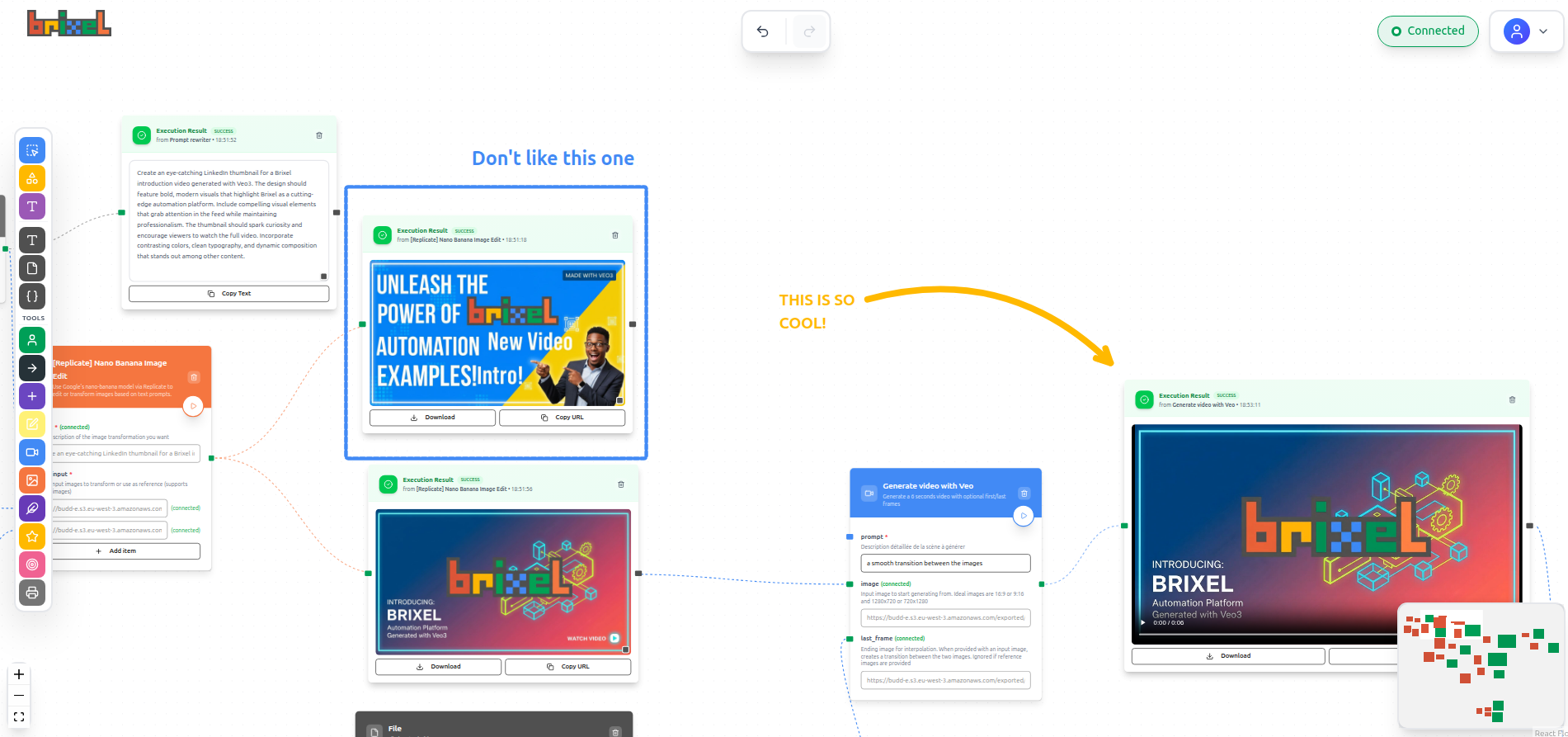
Draw, annotate, and communicate visually
This isn't just about dragging automation tools around. The Whiteboard gives you full drawing and annotation capabilities:
- Draw freehand — sketch ideas, circle important sections, draw arrows between concepts
- Add sticky notes — leave comments, instructions, or reminders directly on the canvas
- Annotate workflows — explain complex logic, document decisions, add context
- Use shapes and lines — organize visually with boxes, arrows, and connectors
- Color code — distinguish between different types of workflows or project stages
Think of it like having a physical whiteboard in a meeting room, except everyone can participate from anywhere, and the automations you draw actually work.
Real-time collaboration that just works
When your team is on the same canvas:
- See everyone's cursor moving in real-time
- Watch changes appear instantly as teammates add or modify tools
- Draw and annotate together — brainstorm visually while building
- No conflicts, no overwrites — everyone works seamlessly on different parts
- Stay in sync — the canvas is the single source of truth
This transforms how teams work:
- Brainstorming sessions — sketch automation ideas together, draw connections, annotate possibilities
- Design reviews — circle areas for improvement, draw alternatives, discuss visually
- Debugging — point to where things break, annotate the fix, watch it work
- Client meetings — build the automation live while they watch, let them annotate their feedback
- Onboarding — new team members see how automations work, can ask questions by annotating directly
- Async collaboration — leave annotated notes for teammates in other timezones
No more screen sharing. No more "let me send you the updated file." No more trying to explain complex workflows over Slack.
Everyone sees the same thing. Everyone can contribute. Everyone stays aligned.
Space to think, space to build
Traditional automation tools force you into their structure — vertical lists, fixed grids, rigid hierarchies. The Whiteboard gives you unlimited space to organize your way.
Spread out. Group related workflows together. Keep your experimental ideas in one corner and production systems in another. Build a library of reusable components you can grab anytime. Add notes, draw arrows, color-code sections.
Organize like you think, not like the software demands.
Some teams use geographical layouts — marketing automations on the left, engineering on the right, sales at the top. Others organize by project, by urgency, or by complexity.
It doesn't matter. The canvas adapts to your mental model, not the other way around.
From prototype to production in one click
Built something great on the Whiteboard? Deploy it.
One click turns your visual prototype into a production-ready automation. Set up triggers, schedule it, or run it manually. The automation you built visually now runs automatically.
But here's the magic: the visual view doesn't disappear. You can always come back to the Whiteboard to see how it works, debug issues, or extend functionality. The canvas is both your design tool AND your documentation.
Version control is built in. Keep experimenting with new ideas while your production automation runs. Fork workflows to test changes. Merge improvements when they're ready.
The line between prototype and production becomes blurry in the best way possible.
Start building today
The Whiteboard is available now in your Brixel dashboard.
Open it. Drag some tools onto the canvas. Connect them. Hit run. That's it.
You don't need a tutorial. If you've used Figma, Miro, or any visual design tool, you already know how to use the Whiteboard. The difference is that every element is functional, not just a mockup.
Start simple. Build a two-step automation. See it work. Then add another step. And another. Before you know it, you'll be orchestrating complex multi-tool workflows that would take hours to configure in traditional interfaces.
The best way to learn the Whiteboard is to play with it. Break things. Try weird combinations. See what happens. That's the whole point.
Why this changes everything
For too long, automation tools have been stuck in the past. Configuration files. Nested menus. Linear lists. Documentation that goes stale the moment you write it.
The Whiteboard brings automation into the visual age.
You can finally see what you're building. You can experiment without fear. You can collaborate naturally. You can understand complexity at a glance. You can move from idea to working prototype faster than ever before.
This isn't just a feature. It's a completely different way of thinking about automation.
Traditional tools ask: "What steps do you need to configure?"
The Whiteboard asks: "What do you want to create?"
Ready to build differently?
The Brixel Whiteboard is available now in your dashboard.
No setup. No configuration. No learning curve.
Just open it and start creating.
Drag your tools onto the canvas. Wire them together. See them work. Build something you couldn't build before.
This is automation for the visual age. This is how you should be building.
Welcome to the Whiteboard.