
Brixel × Replicate: AI-powered image and video generation in your workflows
Discover the Brixel × Replicate integration and unlock advanced AI image and video generation capabilities directly in your automation workflows. Generate, edit, and enhance media with state-of-the-art AI models.
Brixel × Replicate: AI-powered image and video generation in your workflows
Brixel announces a powerful new integration with Replicate, the leading platform for running open-source AI models in the cloud.
With this integration, you can harness state-of-the-art AI models for image and video generation directly within your Brixel workflows. Whether you're automating content creation, enhancing visuals, or generating videos at scale, Replicate's advanced models are now at your fingertips.
The goal: to empower creators, teams, and developers to build intelligent workflows that automatically generate, transform, and enhance visual media — all without leaving your Brixel workspace.
An integration built for creative automation
This integration connects Brixel to Replicate's extensive library of open-source AI models, exposed as ready-to-use tasks in your workflows.
You can now:
- Generate images and videos from text prompts
- Edit and transform existing media using AI
- Upscale and enhance visual content with professional-grade models
- Convert images to vectors or remove backgrounds automatically
- Chain multiple operations to create complex creative pipelines
Available AI models and actions
Image Generation and Editing
Nano Banana Image Edit
Edit or transform images using Google's Nano model and natural language prompts. Perfect for quick adjustments, style transfers, or creative modifications.
Recraft Remove Background
Automatically remove backgrounds from images with AI-tuned precision. Ideal for product photography, portraits, or bulk background removal tasks.
Recraft Vectorize
Convert raster images into clean, scalable SVG vectors. Great for creating logos, illustrations, or preparing images for print.
Topaz Image Upscale
Enhance images up to 6 times their original size using professional-grade upscaling models. Restore detail, reduce noise, and improve image quality effortlessly.
Video Generation
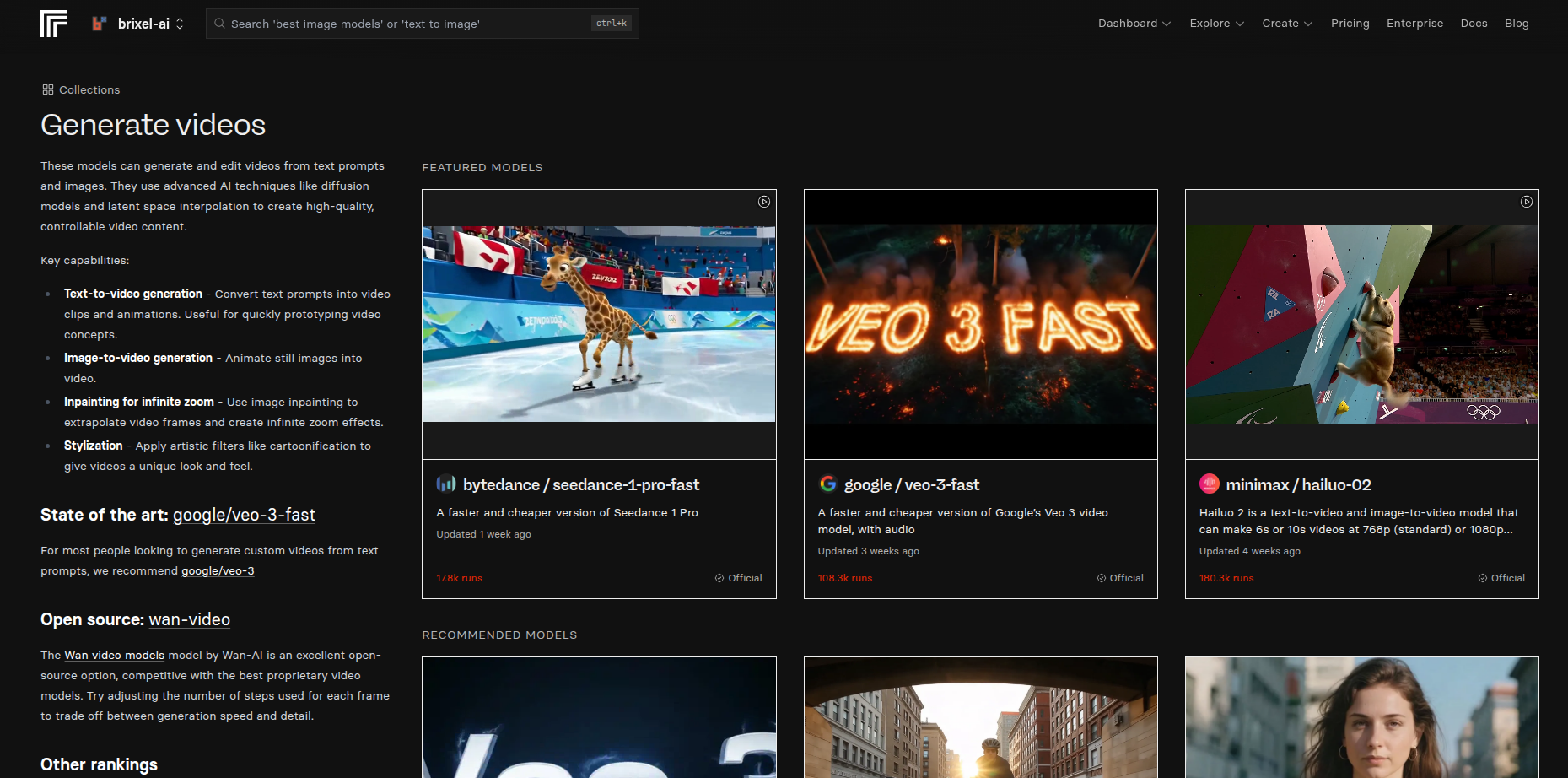
Pixverse V5 Video Generation
Generate 5 to 8 second videos with enhanced motion and visual effects. Perfect for social media clips, product demonstrations, or creative storytelling.
Veo 3 / Veo 3 Fast Video Generation
Create high-fidelity, context-aware videos using Google's Veo 3 models with interpolation and audio understanding. Supports both standard and fast generation modes for flexibility.
Topaz Video Upscale
Enhance video quality up to 6 times with professional-grade upscaling. Restore clarity, improve sharpness, and future-proof your video content.
What you can build with Brixel × Replicate
With these AI models integrated into Brixel, the possibilities for automation become vast. Here are real-world use cases:
Content Creation at Scale
- Generate product images or lifestyle photos from text descriptions
- Automatically create variations of existing designs
- Produce video clips for social media campaigns in bulk
- Transform rough sketches into polished vector graphics
Media Enhancement and Optimization
- Upscale user-uploaded images to high resolution before publishing
- Remove backgrounds from e-commerce product photos automatically
- Enhance video quality for archive or reprocessing workflows
- Convert illustrations to vectors for web or print usage
Automated Creative Workflows
- Combine video generation with your brand guidelines to create consistent social content
- Extract text from designs, modify them, and regenerate videos with new messaging
- Chain image editing tasks to create complex transformations
- Trigger video generation when new product descriptions are added to your database
AI Agent-Powered Creative Tools
- Chat with an AI Agent connected to Replicate and issue natural-language commands
- Say "Upscale this image to 4K" and watch it happen instantly
- Request "Generate a 6-second video showing our product in action"
- Ask the agent to "Remove the background from all these product photos"
Chat-based AI Agents with Replicate
One of the most powerful features of this integration is the ability to use AI Agents in Brixel chat.
Instead of building complex workflows manually, you can now:
- Open the Brixel chat interface
- Connect an AI Agent to the Replicate integration
- Give natural-language commands to generate or transform media
- Get results instantly without touching a single workflow node
This democratizes advanced AI image and video generation — making it accessible to anyone, regardless of technical expertise.
How the integration works
The Replicate integration in Brixel follows the same modular, extensible approach as all Brixel connectors:
- Each AI model is exposed as an independent task in your workflow library
- Tasks can be freely combined and chained to create sophisticated pipelines
- Full support for bidirectional data flow — you can use generated media as input for other tasks
- Works seamlessly with other Brixel integrations (Google Drive, Notion, Slack, custom APIs, etc.)
- Supports both scheduled workflows and real-time agent interactions
Getting started with the integration
- Navigate to the Identifications section of your Brixel account
- Create a new credential of type Replicate and authorize access
- Start adding Replicate tasks to your workflows or use them in chat with AI Agents
- Configure each task with your desired parameters (image size, video duration, upscale factor, etc.)
- Run your first automation and watch AI-powered media generation in action
Why Replicate?
Replicate offers several advantages that make it the ideal partner for Brixel:
- State-of-the-art models: Access to the latest open-source AI models from leading researchers
- Reliability and scalability: Enterprise-grade infrastructure designed for production workloads
- Transparent pricing: Pay only for what you use, with no hidden costs
- Active community: Continuous updates and new models being added regularly
- Easy integration: Clean API and excellent documentation for seamless connectivity
Real-world examples
E-commerce automation
Automatically upscale product images when they're uploaded, remove backgrounds, and vectorize logos for catalog integration — all triggered by a single database entry.
Social media content factory
Generate videos from product descriptions daily, upscale thumbnails to 4K, and post them to your channels on a schedule.
Design asset management
Convert user-drawn sketches into clean SVG vectors, upscale low-resolution references, and generate variations automatically.
Video production pipeline
Generate video clips from scripts, upscale them for different resolutions, and automatically subtitle them using other Brixel integrations.
The future of creative automation
With the Brixel × Replicate integration, the boundary between manual creative work and automated processes continues to blur.
You no longer need to:
- Switch between multiple tools
- Manually batch-process images or videos
- Struggle with technical AI model deployments
- Wait for developers to build custom integrations
Instead, you can focus on the creative vision while Brixel and Replicate handle the execution.
Conclusion
The Brixel × Replicate integration transforms how you approach creative automation.
Whether you're a content creator looking to scale production, a business automating visual workflows, or a developer building intelligent agents, this integration gives you access to world-class AI models in a simple, intuitive interface.
Generate, edit, enhance, and transform media at scale — all within your Brixel workflows or through conversational AI commands.
Start building with Brixel × Replicate today
Connect your Replicate account in just a few clicks and unlock the full potential of AI-powered media generation in your automation workflows.